Month 1
48%
About This Month
Day 1
Day 2
Day 3
Day 4
Day 5
Day 6
Day 7
Day 9
Day 10
Day 11
Day 12
Day 13
Day 14
Day 15
Day 16
Day 17
Day 18
Day 19
Day 20
Day 21
Day 22
Day 23
Day 24
Day 25
Day 26
Day 27
Day 28
Day 29
Day 30
Add Dedicated Sending Domain + DMARC In ConvertKit
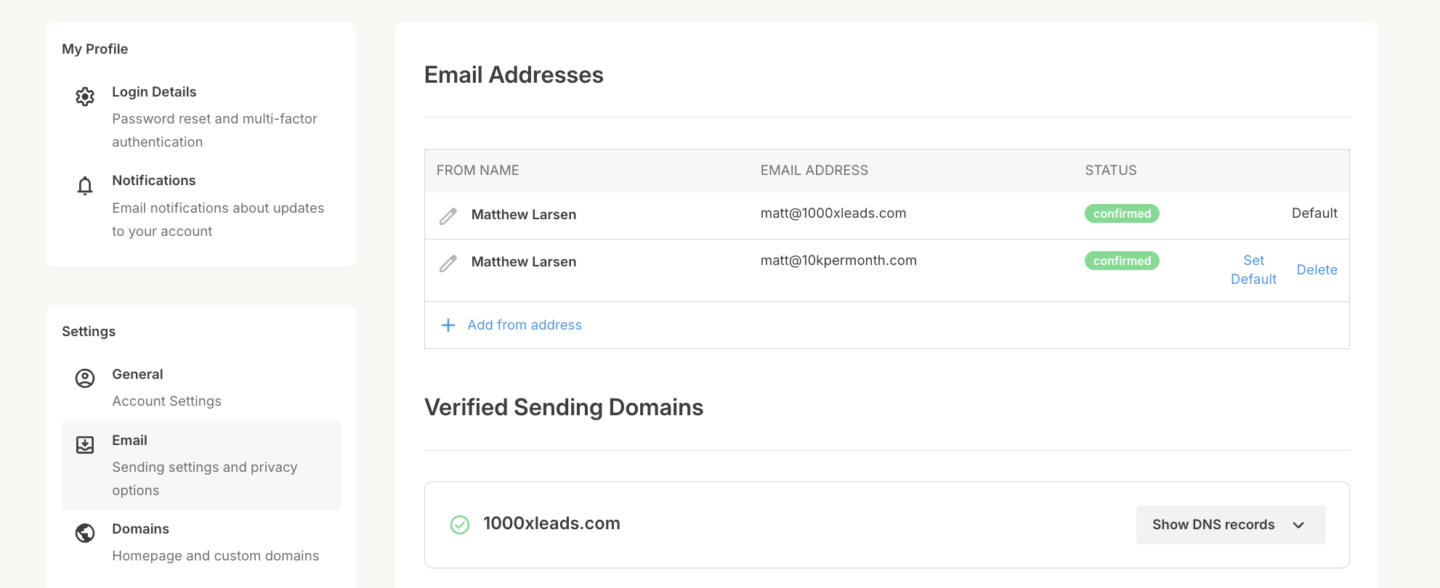
We need to set up a dedicated sending domain and DMARC to ensure our emails don't go to spam and don't show up with an "Unverified" badge.
Add Dedicated Sending Domain
1. Log In: Go to ConvertKit.
2. Settings: Navigate to Account Settings > Domains.
3. Add Domain: Enter your domain and follow DNS setup instructions.
4. Verify: Wait for DNS to propagate, then verify in ConvertKit.
Add DMARC
1. Log In to Domain Registrar: Access your domain’s DNS settings.
2. Add DMARC Record:
• Host: _dmarc
• Type: TXT
• Value: v=DMARC1; p=none
3. Save and Propagate: Wait for verification.