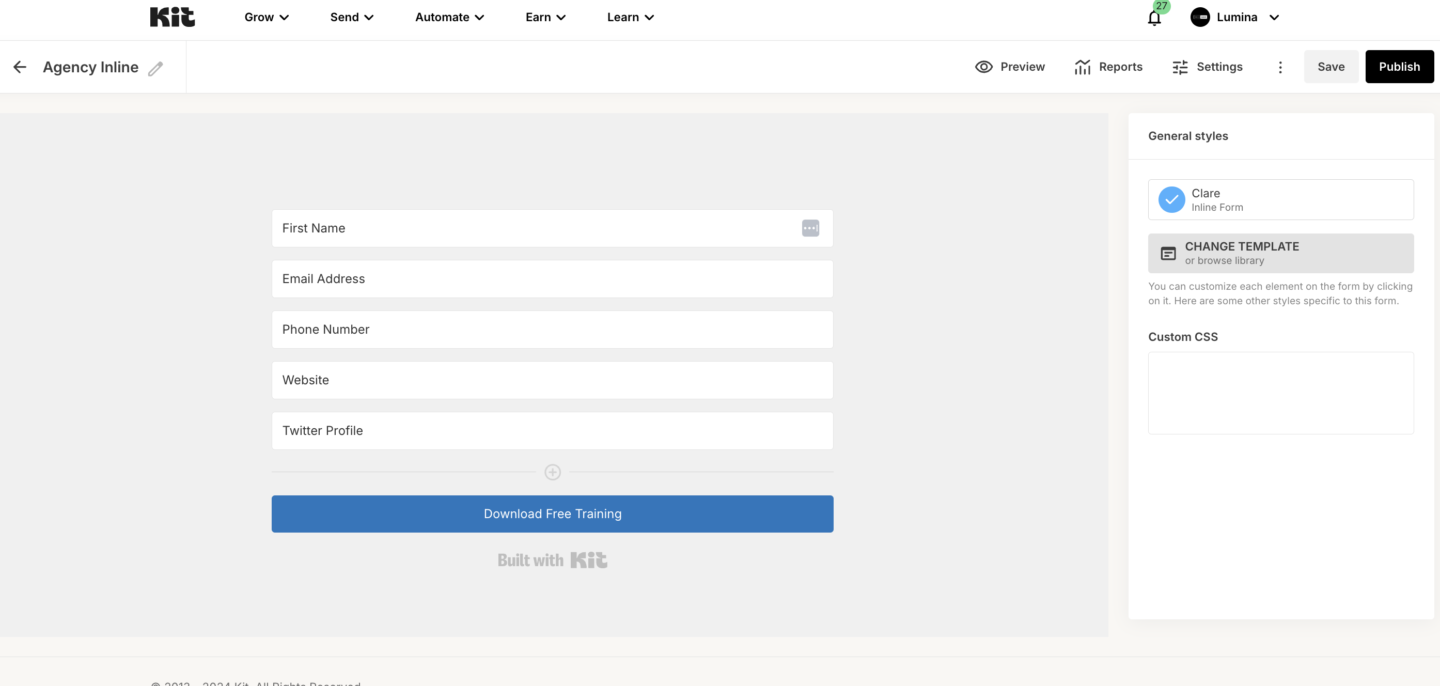
We need to create a form that we will use to capture leads.
1. Log in: Access your ConvertKit account.
2. Go to Forms: Navigate to Grow > Landing Pages & Forms.
3. Create New: Click + Create New, then select Form.
4. Choose Form Type: Select Clare from the available options.
5. Add Custom Fields:
• Default Fields: Name and Email are pre-added.
• Click + Add Custom Field to add:
• Phone Number
• Website
• Revenue
• Label each field appropriately for clarity.
6. Turn Off Incentive Email:
• Go to the Settings tab.
• Under Incentive, uncheck Send incentive email.
7. Remove ConvertKit Branding:
• Scroll to the branding section and uncheck Show ConvertKit branding.
8. Save the Form:
• Click Save to finalize your form setup.
ConvertKit Documentation:
https://help.kit.com/en/articles/3860348-how-to-create-your-first-form-in-kit