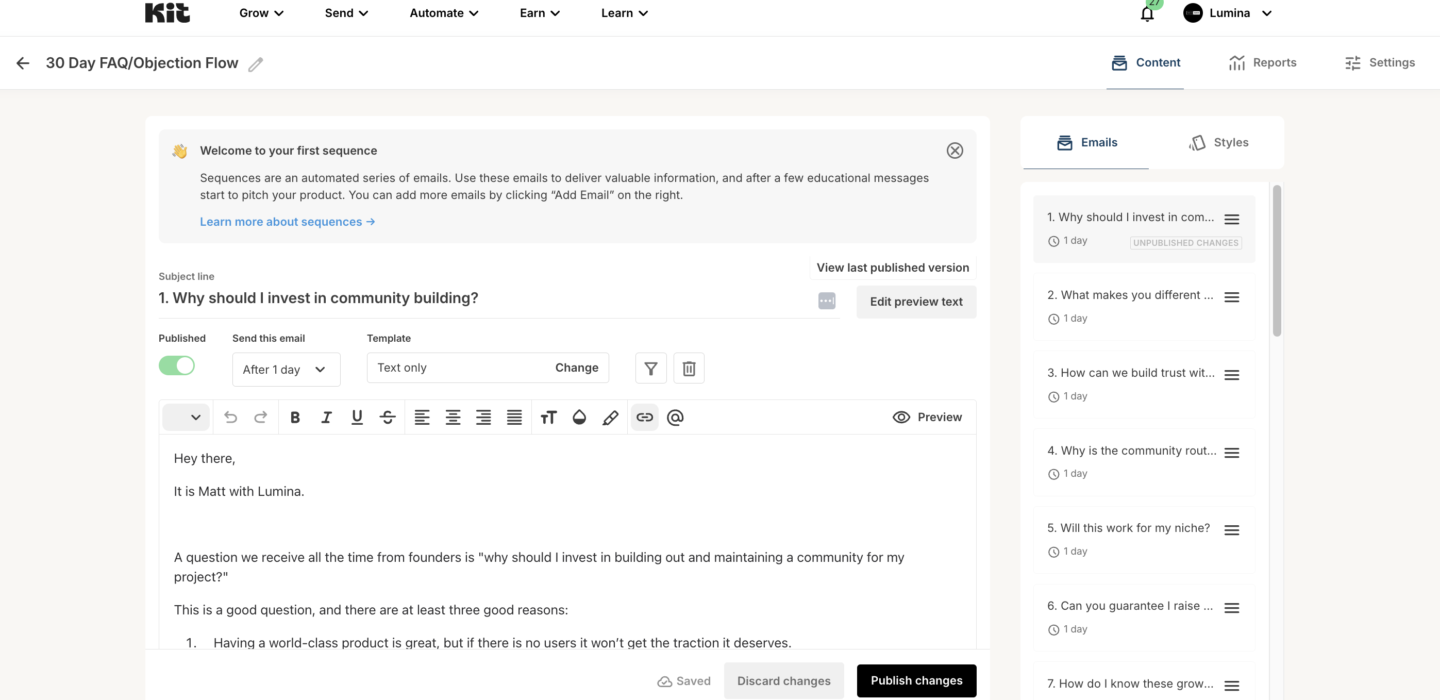
We need to create a 30-part ConvertKit Sequence. There will be 30 emails in the flow + one do deliver your Master Document which you will create in the future (for a total of 31). Each of these will be one day apart in terms of timing.
Here are some instructions:
1. Log In: Access ConvertKit.
2. Create Sequence: Go to Automate > Sequences and click + New Sequence.
3. Name It: Add a descriptive name.
4. Add Emails:
• Email 1: Master Document Delivery email with download link.
• Emails 2–31: Add 30 daily emails with content for each day.
• Use the editor to add personalized subject lines and body content.
5. Set Timing: Schedule each email (e.g., Email 2 sent 1 day after Email 1, Email 3 sent 1 day after Email 2, etc.).
6. Activate: Toggle each email to Active.
7. Launch: Save and connect to a form or automation trigger.
ConvertKit Documentation:
https://help.kit.com/en/articles/2502629-creating-and-sending-a-sequence-in-kit